Deposits and withdrawals
Key Takeaways
- Deposit and withdraw on Alpaca, reached through Transfers in the sidebar
- New cash shows up under Available cash on the Overview once Alpaca settles it
- Invest cash puts it into one of your funds; nothing is invested automatically
- To withdraw invested money, sell from the fund first so it becomes cash
Depositing
- In the sidebar press Transfers. On a phone it is Transfers (Alpaca) in the More sheet. Alpaca opens in a new tab.
- Add a bank account and start a transfer. Alpaca supports ACH for US banks and wire transfers internationally.
- Once Alpaca settles the transfer, usually one to three business days, the amount appears under Available cash on your Overview.
Investing the cash
Cash sits uninvested until you tell Amal where it goes.
- On the Overview, the cash card has an Invest cash button. With more than one fund it becomes a dropdown listing each fund and its value.
- Or open any fund page and press Invest more.
Either way you land in the invest flow described in Invest, withdraw, rebalance.
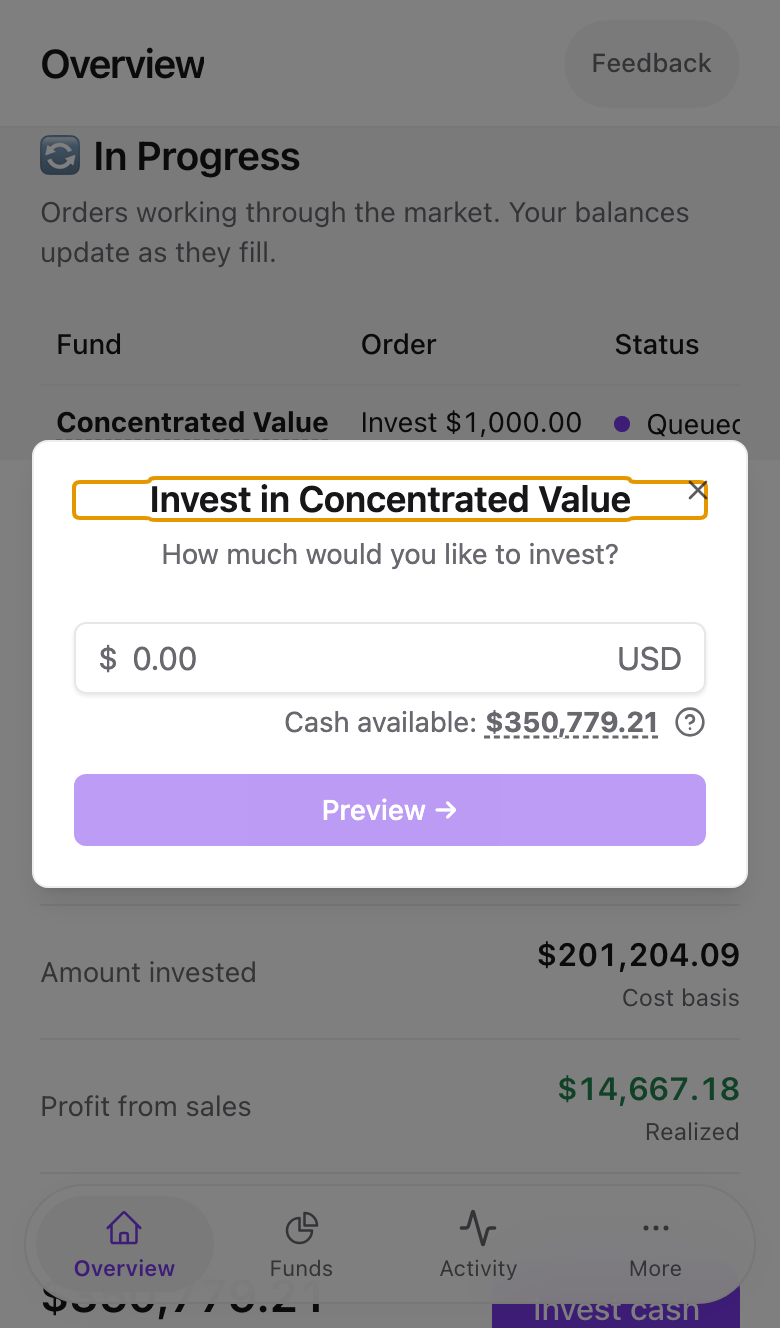
Why is a few cents always left over?
Alpaca keeps a $0.01 buffer per order to satisfy regulatory rounding rules, so the maximum investable amount is slightly below the cash balance. The Cash available line in the invest dialog already accounts for this.
Withdrawing
- If the money is invested, withdraw it from the fund first. Open the fund, choose Withdraw from the fund menu, and the sale proceeds become cash after settlement, which takes two business days for US stocks.
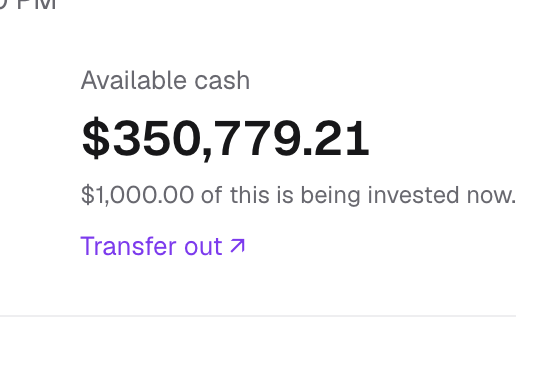
- On the Overview cash card press Transfer out, or use Transfers in the sidebar. Both open Alpaca's withdrawal page.
Common problems
Deposit shows on Alpaca but not in Amal. Amal reads Alpaca's settled balance. Pending transfers are not investable yet. Refresh after Alpaca marks it complete.
"Insufficient funds" while some cash is shown. Part of the cash may already be assigned to an order that is still working. The cash card says "$X of this is being invested now" when that is the case.
I cannot see the Transfer out link. It is desktop only. On a phone use Transfers (Alpaca) from the More sheet.
- Previous
- Connect Alpaca
- Next
- How orders work