Connect Trading212
Key Takeaways
- Works with Trading 212 Invest, ISA Stocks, and ISA Cash accounts. Up to three keys, one per account
- Amal never sees your Trading 212 password, only an API key you can revoke any time
- The key needs three permissions: Metadata, Pies - Read, Pies - Write
- Trading 212 only shows the "Generate API key" option on funded accounts
Before you start
- A funded Trading 212 account. The API option stays hidden until the account has money in it.
- The latest Trading 212 mobile app, since keys are generated there.
- An Amal account with Trading 212 chosen as the broker. If you chose Alpaca earlier, use the Switch to Amal x 212 link in the sidebar footer.
Step 1: Set your filters
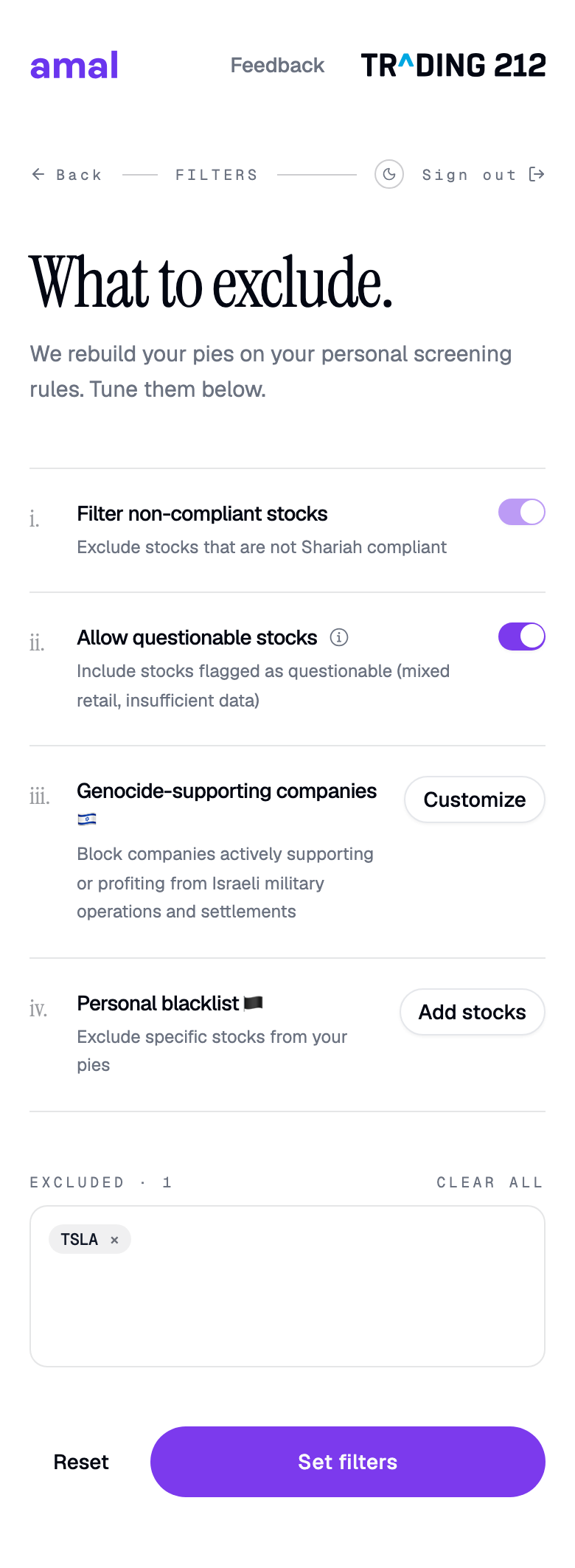
The first screen in the Trading 212 app is What to exclude. Pick your screening rules, then press Set filters. You can change them any time, so the defaults are fine for now. Details are in Filters and exclusions.
Step 2: Generate a key in Trading 212
- Open the Trading 212 app and go to Settings → API (Beta).
- Press Generate API key.
- Turn on Metadata, Pies - Read, and Pies - Write.
- Copy the key and the secret. The secret is shown once.
Save the secret straight away
Trading 212 shows the secret only once. If you lose it, delete the key in Trading 212 and generate a new one.
Step 3: Add the key to Amal
The API Keys screen has a two-minute video tutorial, a Common issues link, and an Add a new key button.
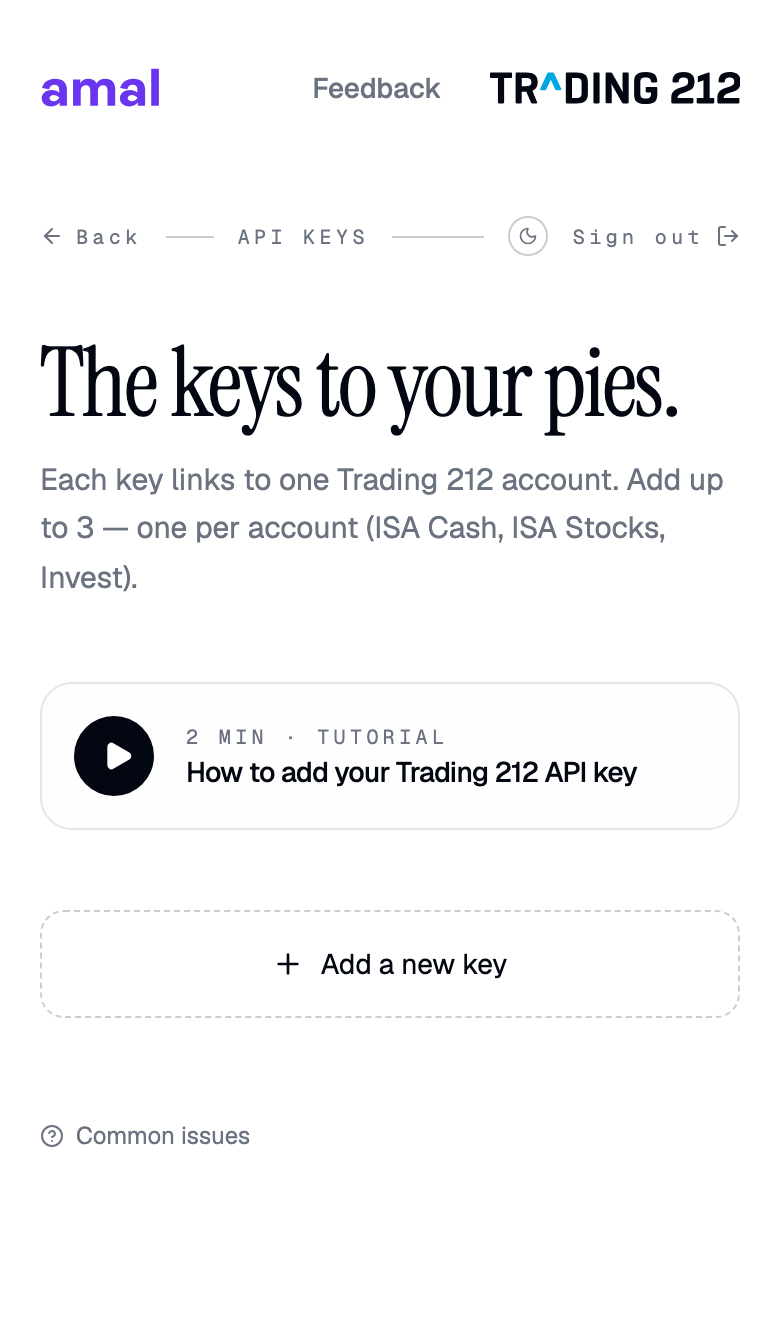
- Press Add a new key.
- Optionally label it, for example "ISA Stocks".
- Paste the key and the secret and press Add key.
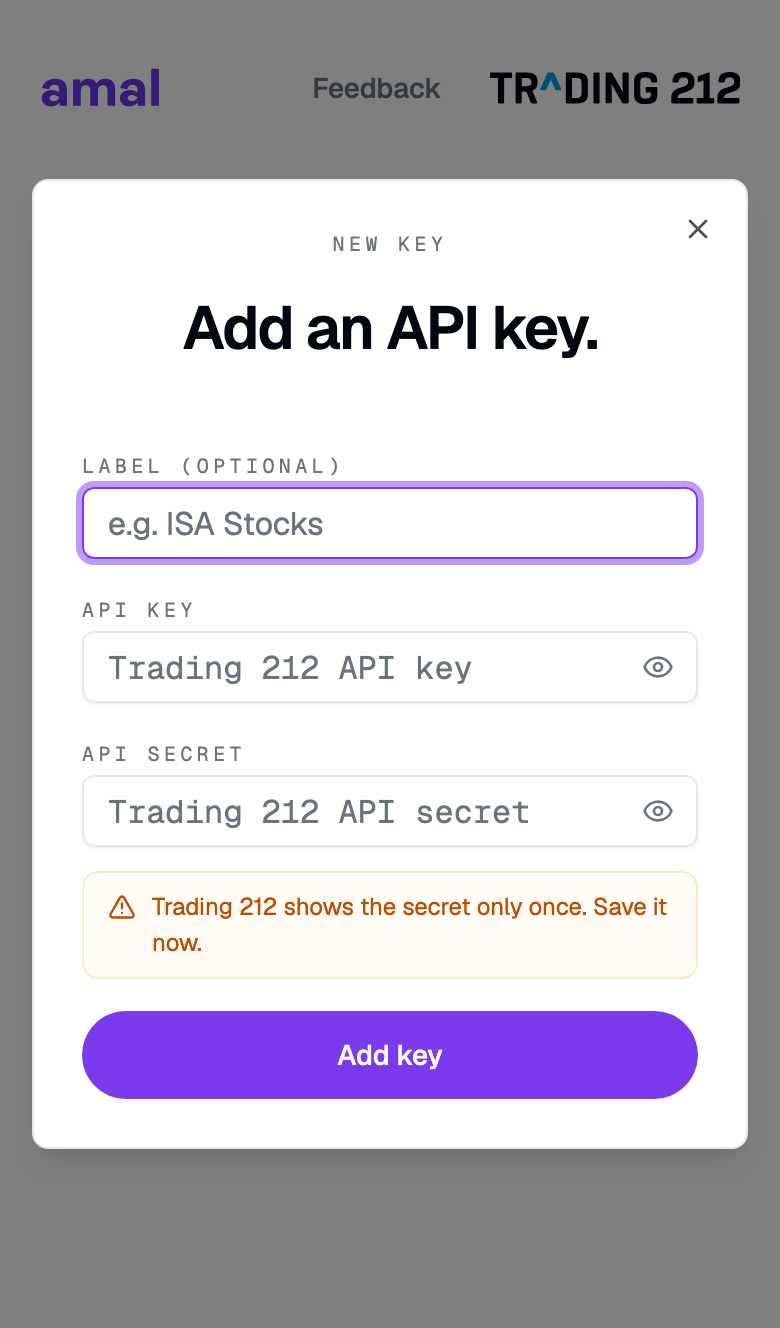
Amal now verifies the key, reads your account, applies your filters, and generates your pies. Keep the window open. It takes up to a minute.
Step 4: Open Trading 212
The All set screen confirms the pies exist. Press Open Trading 212 and you will find them under Pies, ready to deposit into.
Common problems
I cannot find the Generate API key button. The account is not funded yet. Deposit any amount and check again.
The API section is missing from settings. Update the Trading 212 app to the latest version.
Permission errors while adding the key. One of the three permissions is off. Delete the key in Trading 212 and generate a new one with all three enabled.
"Invalid key". Usually a trailing space from copying. Paste again carefully, or generate a fresh key.
- Previous
- Choose a broker