Pick your first fund
Key Takeaways
- Grow and Save are the two plans available on every paid tier
- Expert mode unlocks search across 100,000+ ETFs and mutual funds
- Popular funds shows what other Amal investors hold
- Creating a fund does not invest anything. You choose when and how much later
Basic mode
Press Create fund on the Overview, or + Create fund next to your funds list. In Basic mode you see plan cards with the expected yearly return and the largest historical drop, plus a Build a custom fund card.
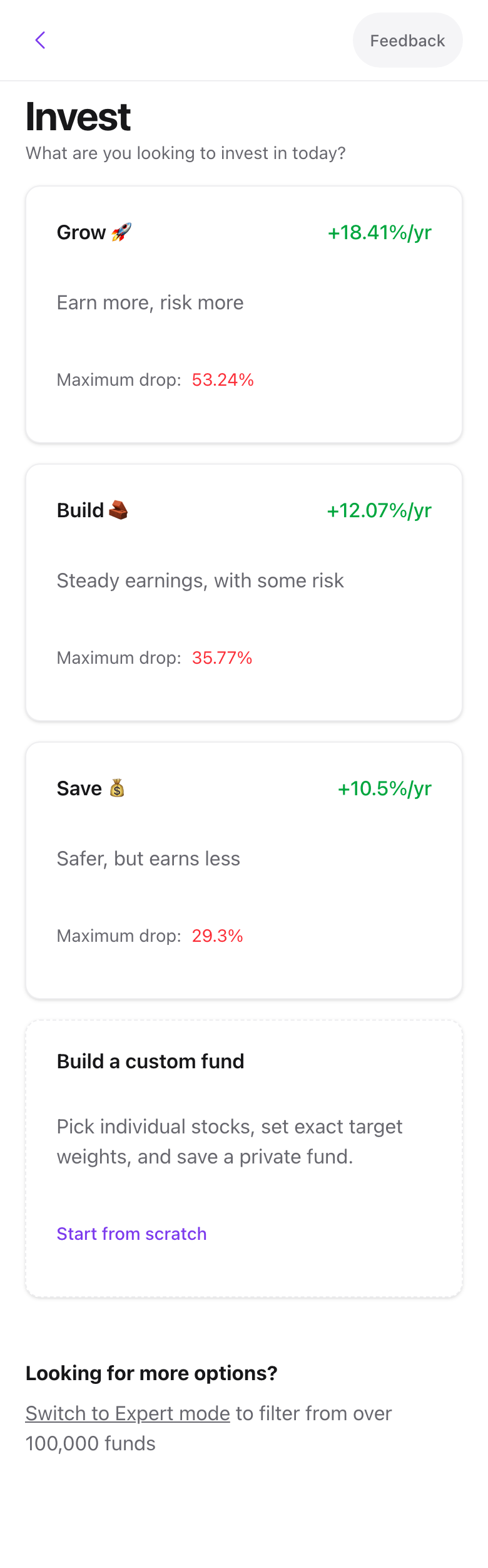
- Grow is a filtered growth fund, built on FDGRX. Higher expected return, bigger swings.
- Save is a filtered dividend fund, built on VDADX. Steadier, with income.
Pick one and you land on its filtered fund preview. Read about how the two have performed in Grow and Save performance.
Expert mode
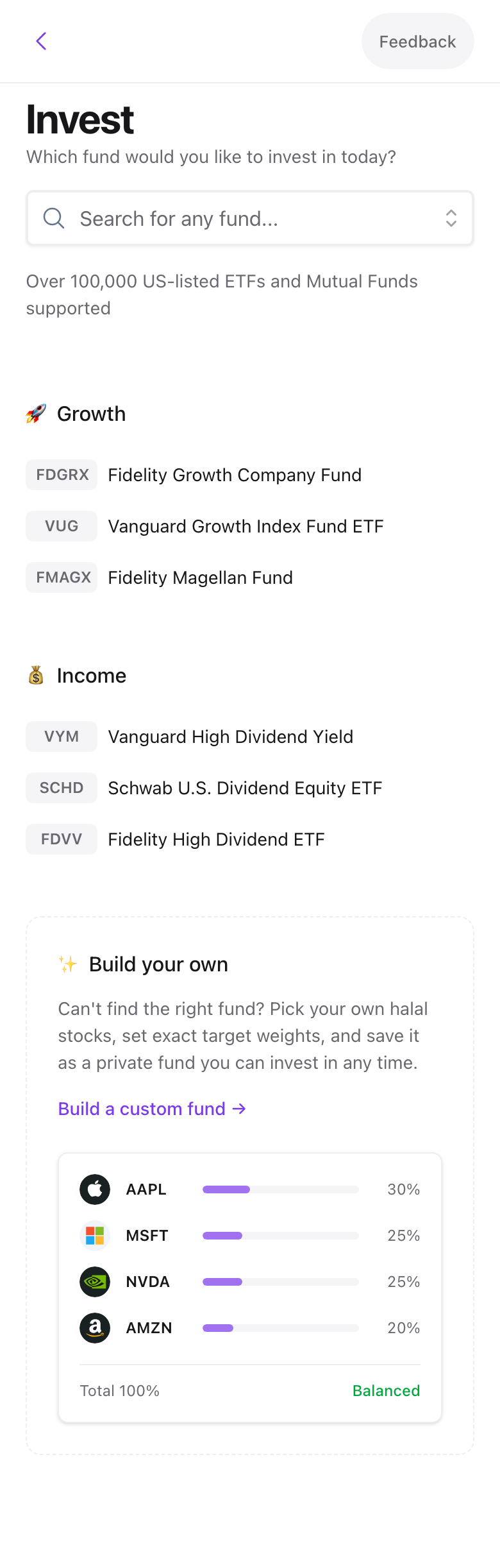
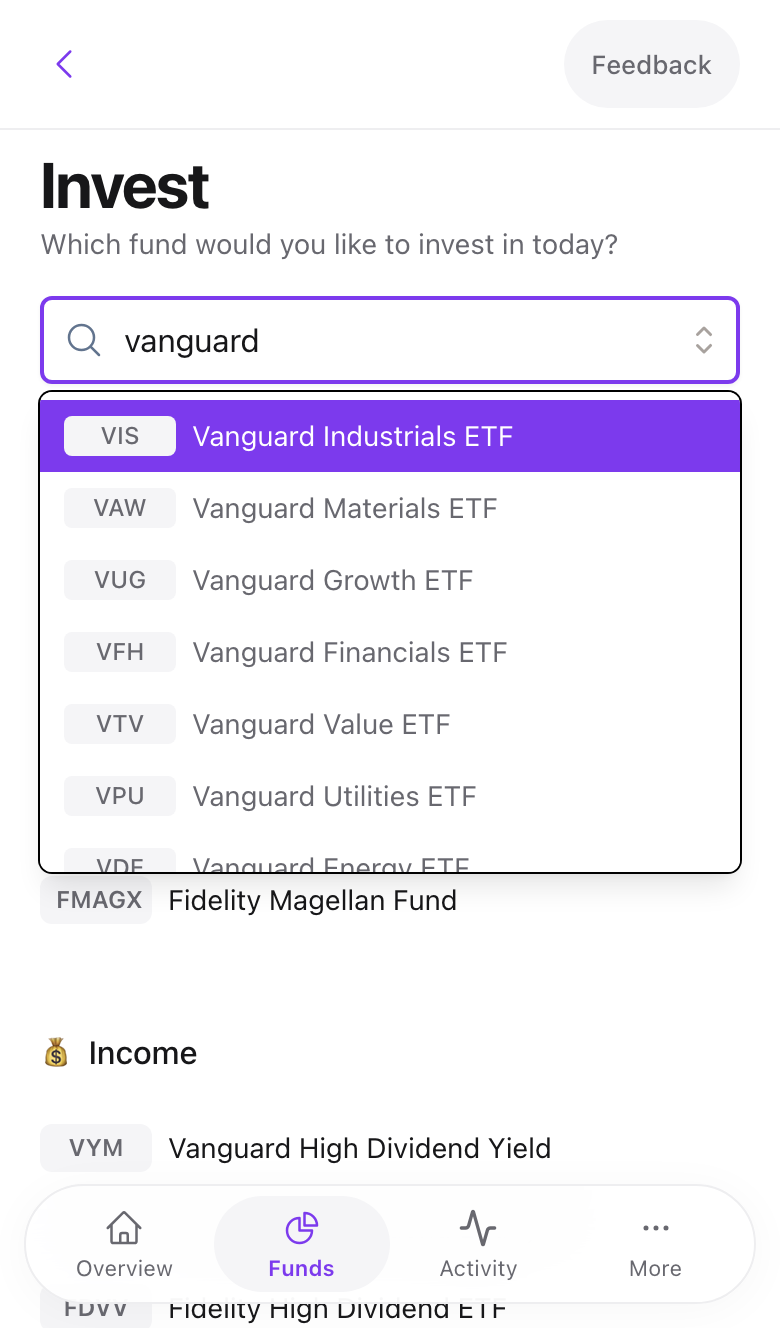
Turn on the Expert switch in the sidebar footer. The create screen now has a search box over every US-listed ETF and mutual fund, plus curated Growth and Income shortlists such as VUG, FMAGX, VYM, and SCHD.
Swipe to see all 2 screens
Type a ticker or name, pick a result, and continue to its preview.
Plan limits
Standard plan accounts can create Grow and Save. Any other fund shows a Subscription Required screen with an upgrade button. See Plans and billing.
Popular funds
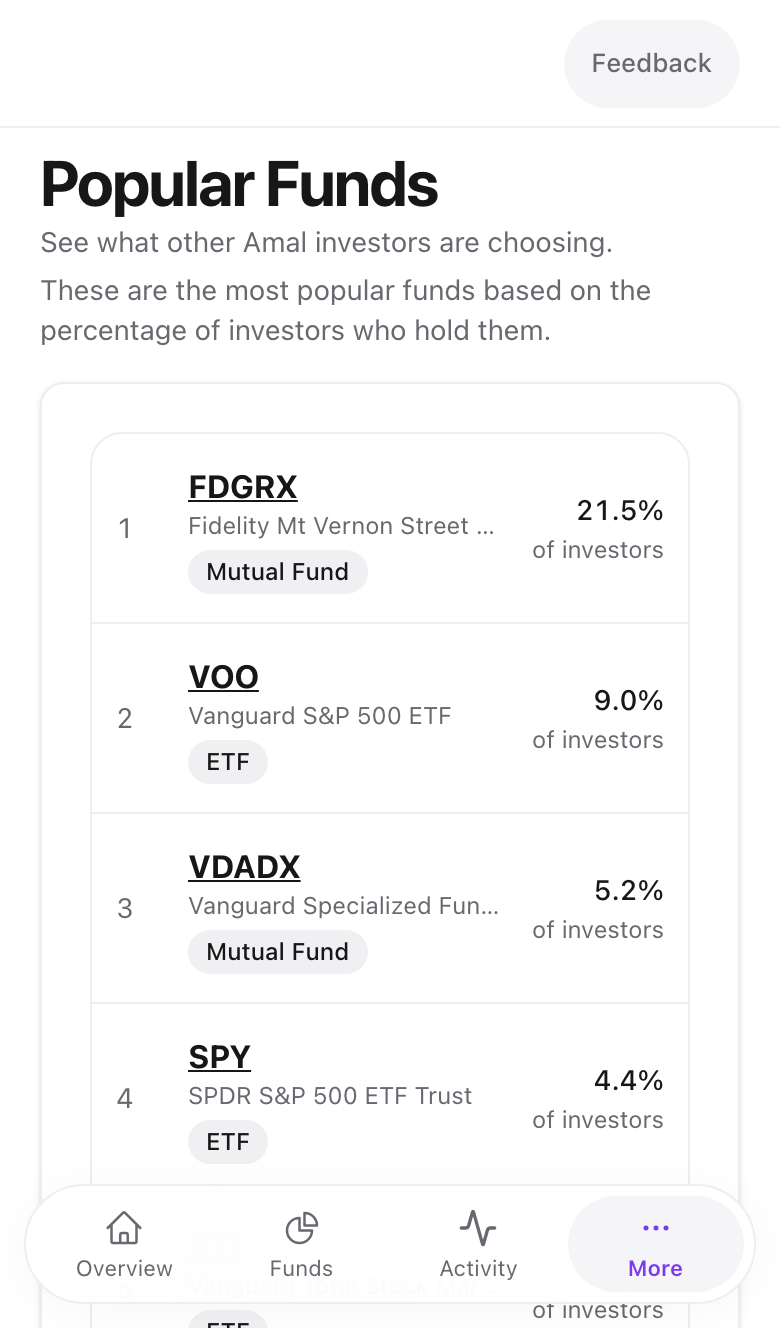
Popular funds in the sidebar lists funds by the share of Amal investors holding them, with an ETF or Mutual Fund badge. Click a symbol to open its preview.
Common problems
My fund is not in the search. Only US-listed funds are supported. UCITS and other non-US funds are not, even when they hold US stocks.
The search finds it but the preview says it is already compliant. Some funds are already Shariah-compliant, such as SPUS. Amal offers to buy them directly instead of filtering. See the next article.
- Previous
- How orders work