Filters and exclusions
Key Takeaways
- Non-compliant stocks are always excluded. That rule cannot be turned off
- Questionable stocks, such as companies with mixed revenue, are your call
- Two curated exclusion lists cover companies supporting the occupation: BDS Movement and the Watermelon Index
- Anything you add to the personal blacklist never appears in your pies
The four rules
Open the Trading 212 app in Amal and press the Filters tile.
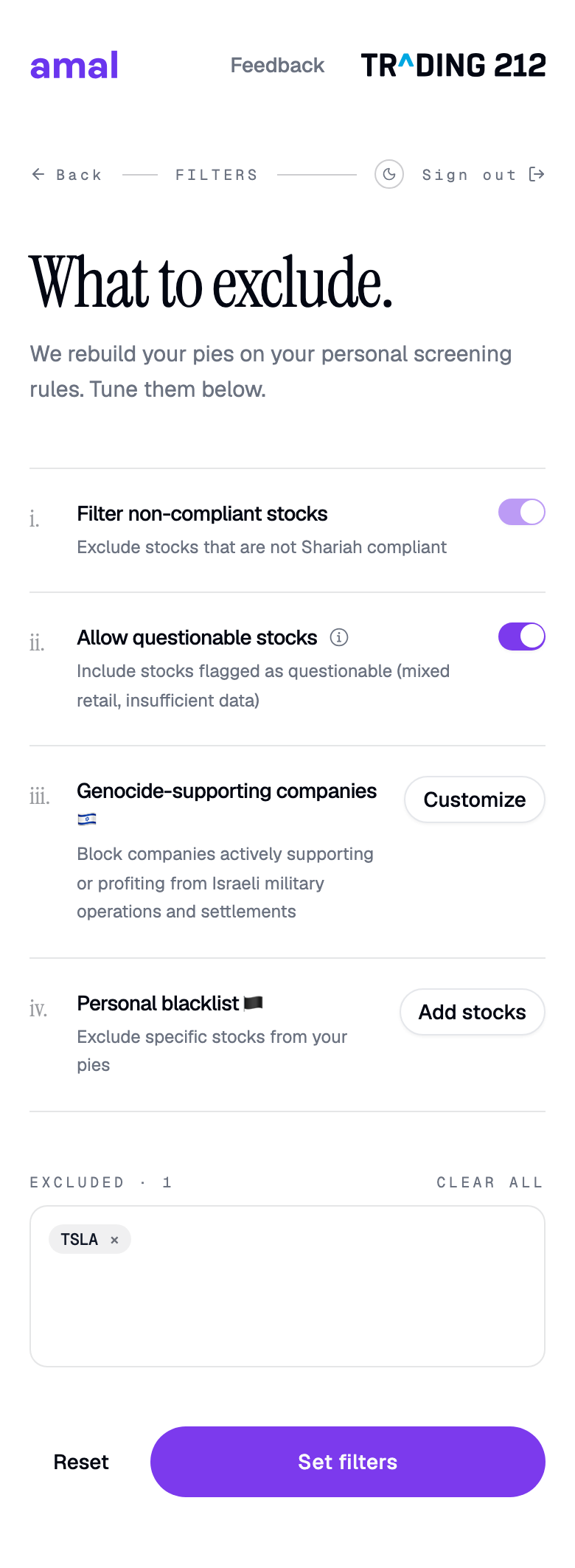
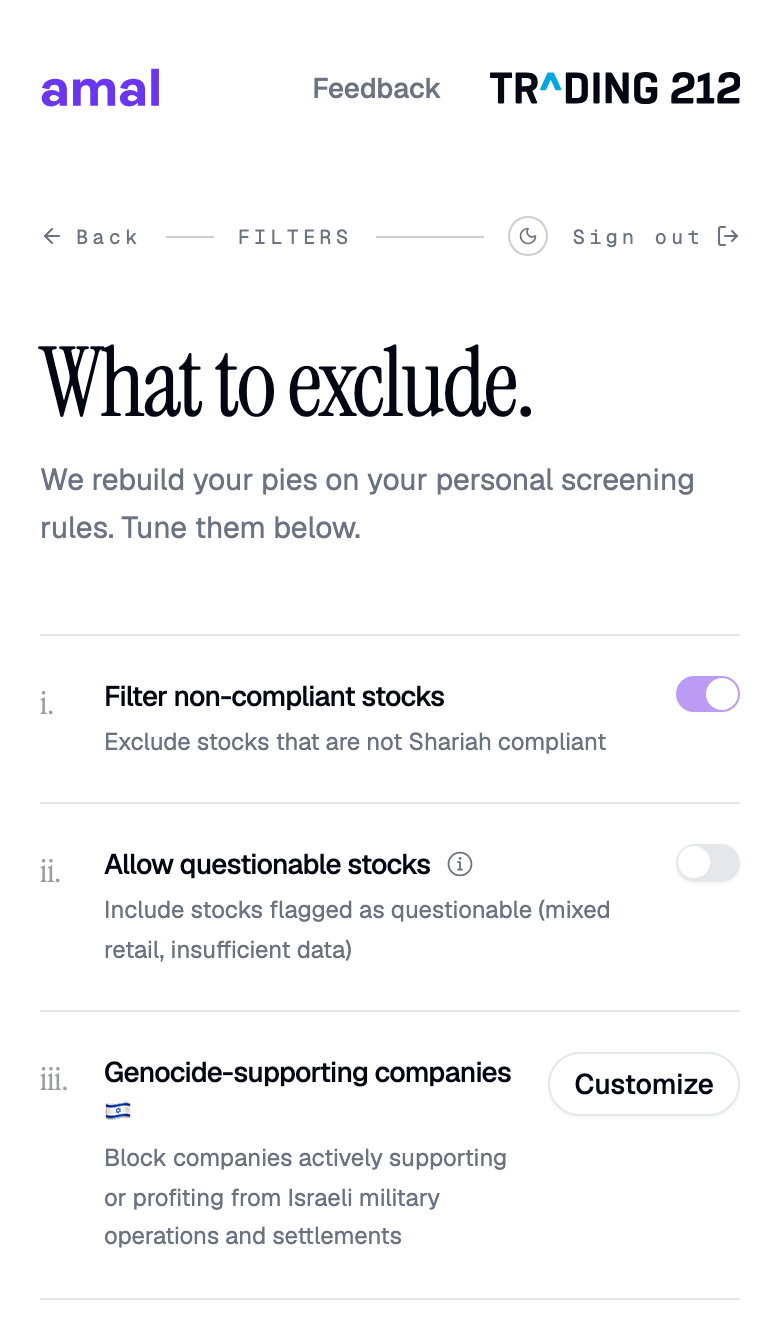
- Filter non-compliant stocks. Always on. Stocks that fail screening under AAOIFI standards are removed.
- Allow questionable stocks. Off by default. Companies flagged as questionable have mixed retail or insufficient data, for example Amazon or Walmart. Turn it on to keep them.
- Genocide-supporting companies. Press Customize to choose which exclusion lists apply.
- Personal blacklist. Press Add stocks to exclude specific tickers.
The exclusion lists
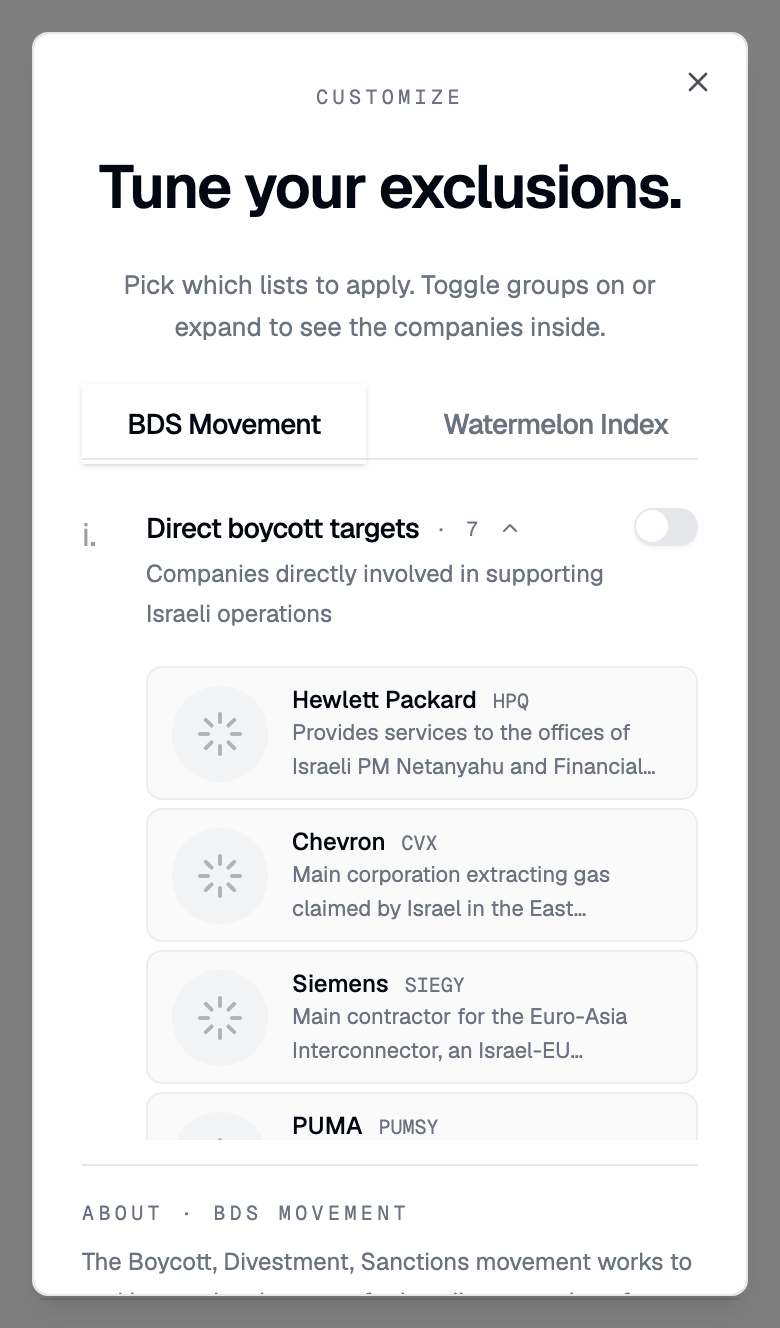
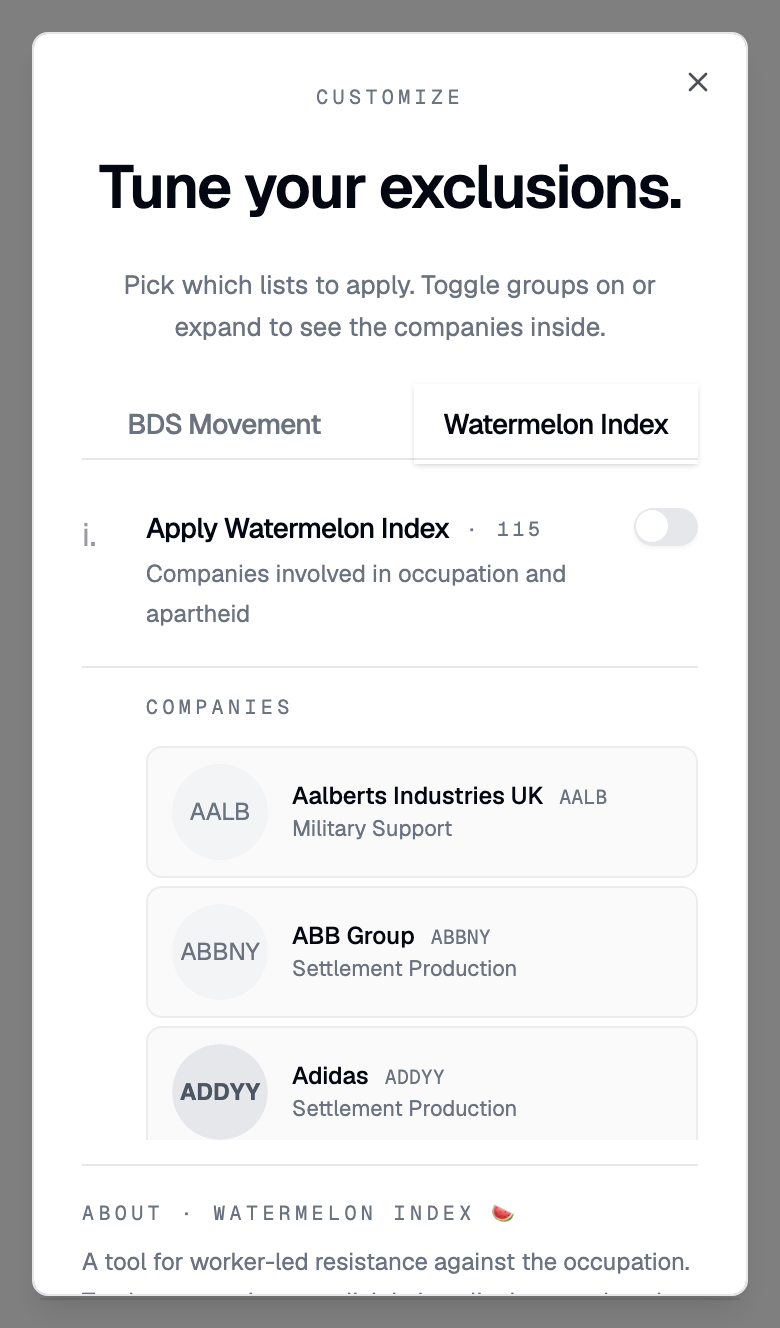
The Tune your exclusions dialog has two tabs.
BDS Movement groups companies into five lists you can toggle separately: direct boycott targets, military and defense, big tech complicity, tech and services, and consumer brands. Expand a group to see each company and the reason it is listed.
Watermelon Index is a single switch covering companies involved in occupation and apartheid. Tap a company for its complicity and economic exploitation details.
Press Apply to return with the selected count shown on the filters screen.
Your personal blacklist
Add stocks opens a search. Pick any ticker and it joins the Excluded list below the rules.
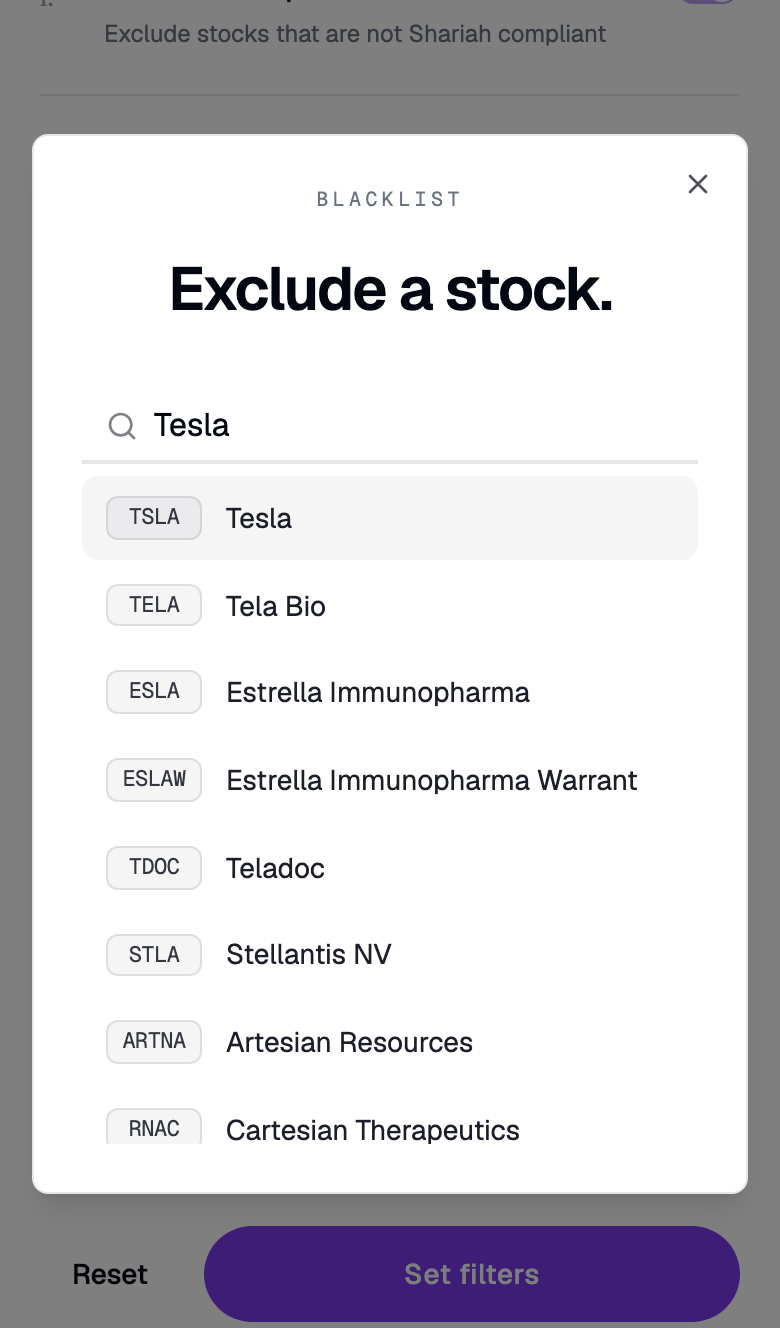
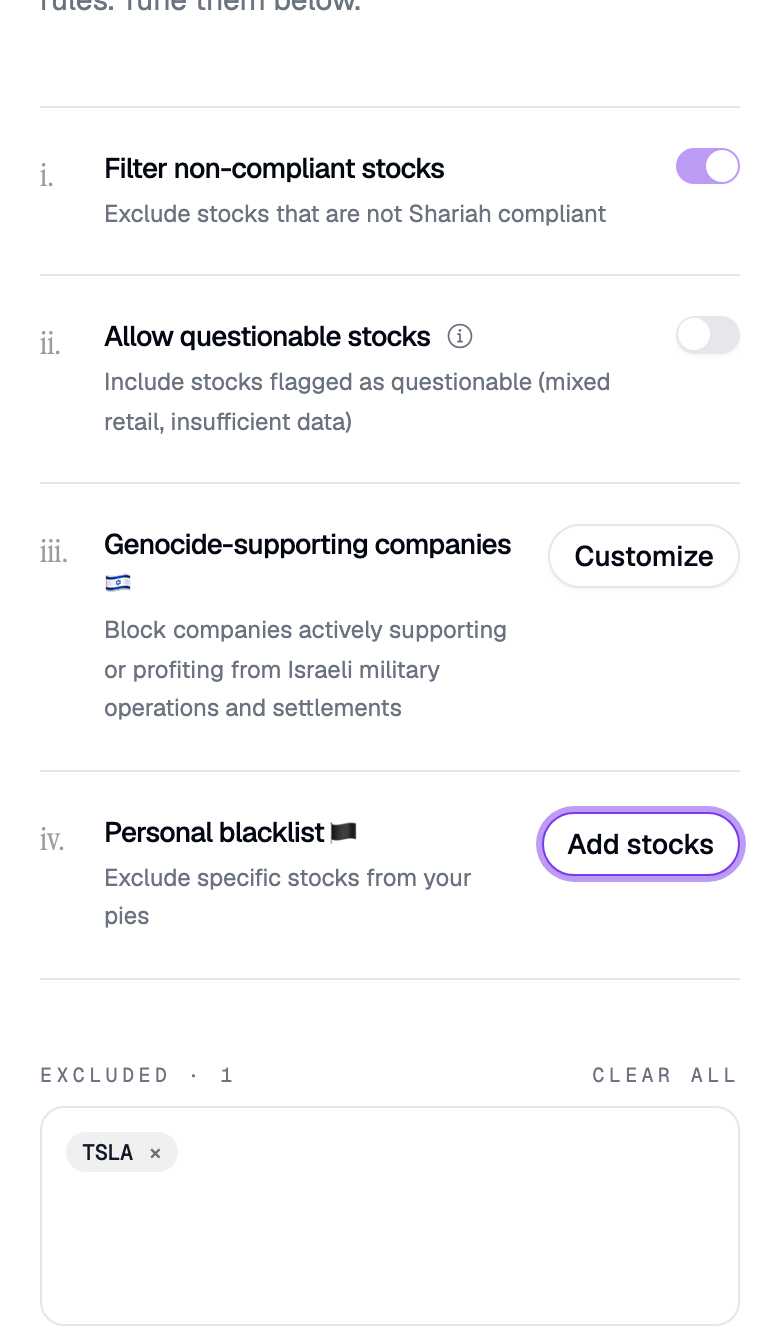
Swipe to see all 2 screens
Saving
Press Update filters. The change applies on the next sync, which you can trigger straight away from the dashboard's Sync pies tile. See Pies and syncing.
Common problems
A stock I excluded is still in my pie. Trading 212 can take up to a day to apply pie changes. Run a manual sync, then check again tomorrow.
The pie has fewer holdings than I expected. Trading 212 pies hold at most 50 stocks, and your filters remove more. That is expected.
- Previous
- Connect Trading212
- Next
- Pies and syncing