The filtered fund preview
Key Takeaways
- The preview is live. Changing filters updates every number on the page
- Create filtered fund saves the fund but places no trades
- The filter settings step decides what happens when a holding later turns non-compliant
- Already-compliant funds can be bought directly instead of filtered
Reading the overview
The page opens with the fund name, its update frequency, and a Create filtered fund button. Below it, in order:
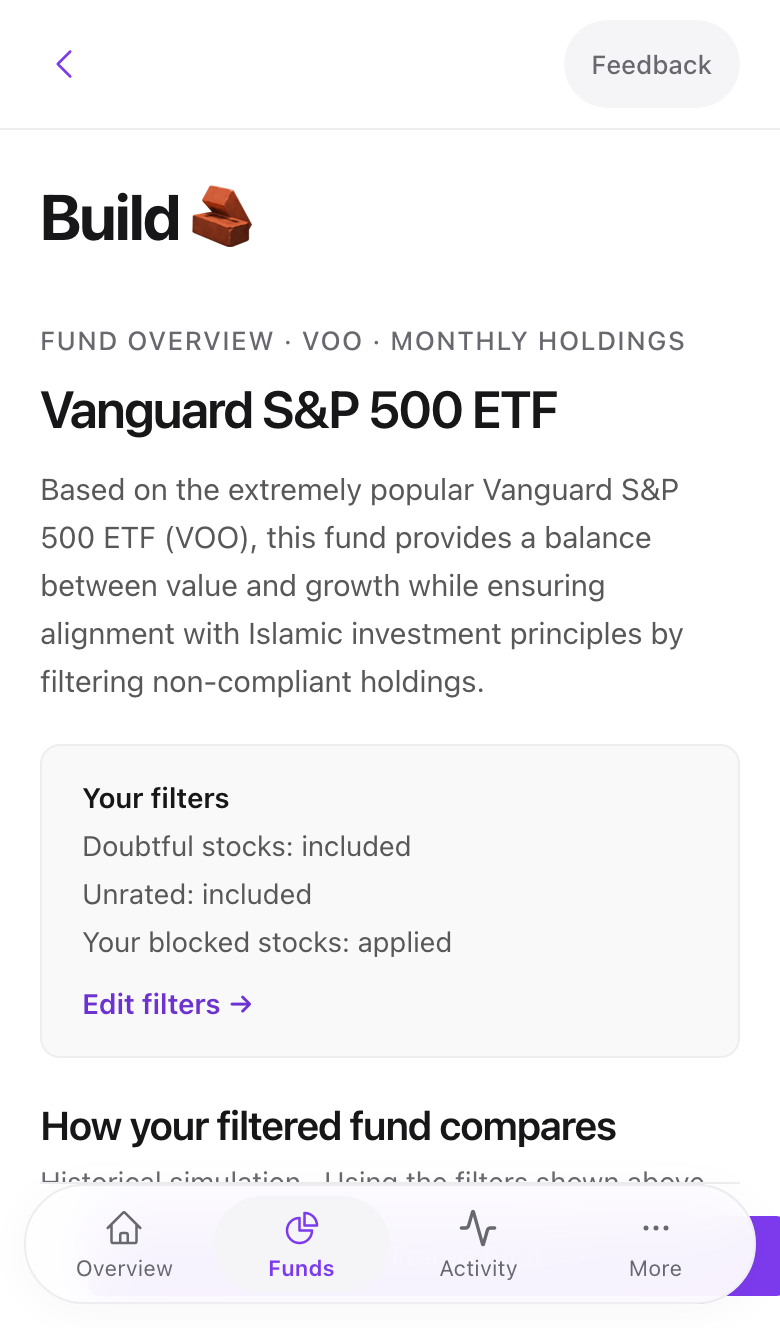
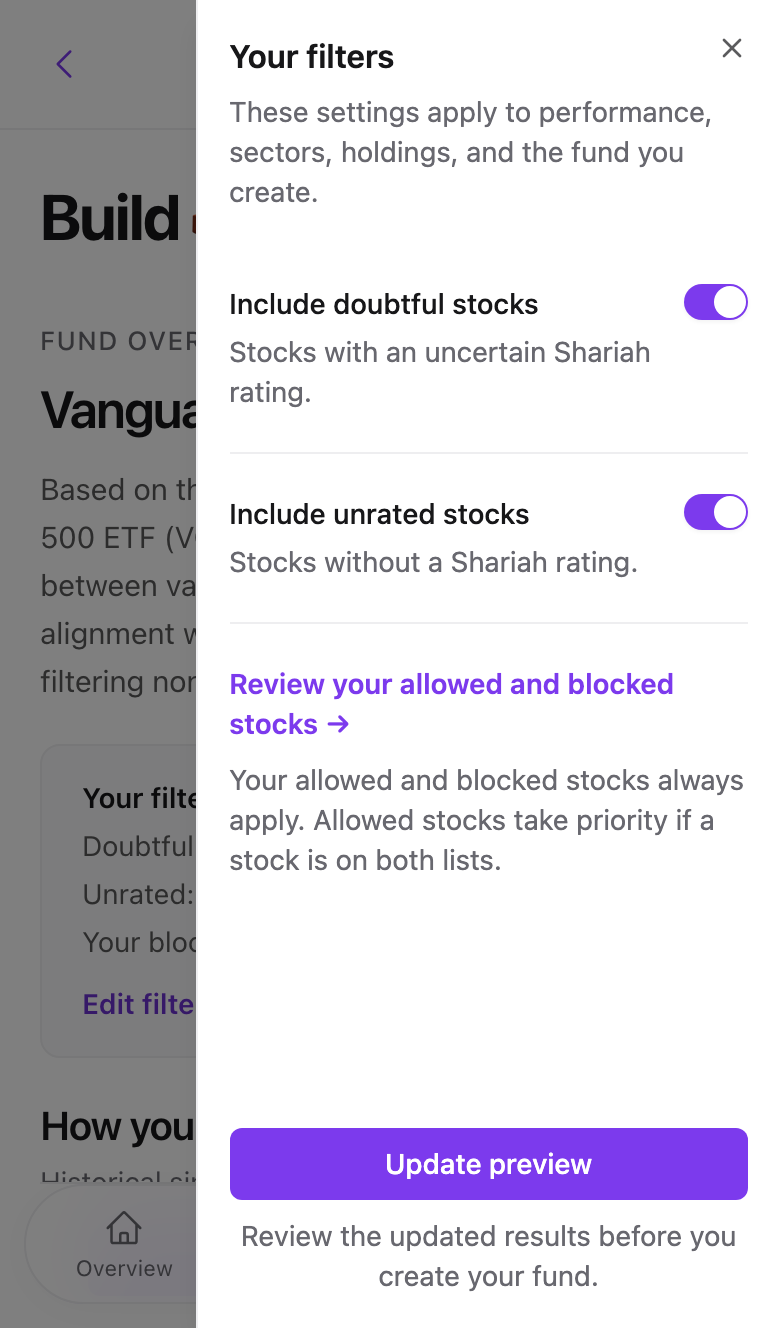
Your filters summarises the rules in force: doubtful stocks included or excluded, unrated stocks, and whether your blocked list applies. Edit filters opens a side sheet with two switches and a link to your blocked stocks. Press Update preview to recalculate.
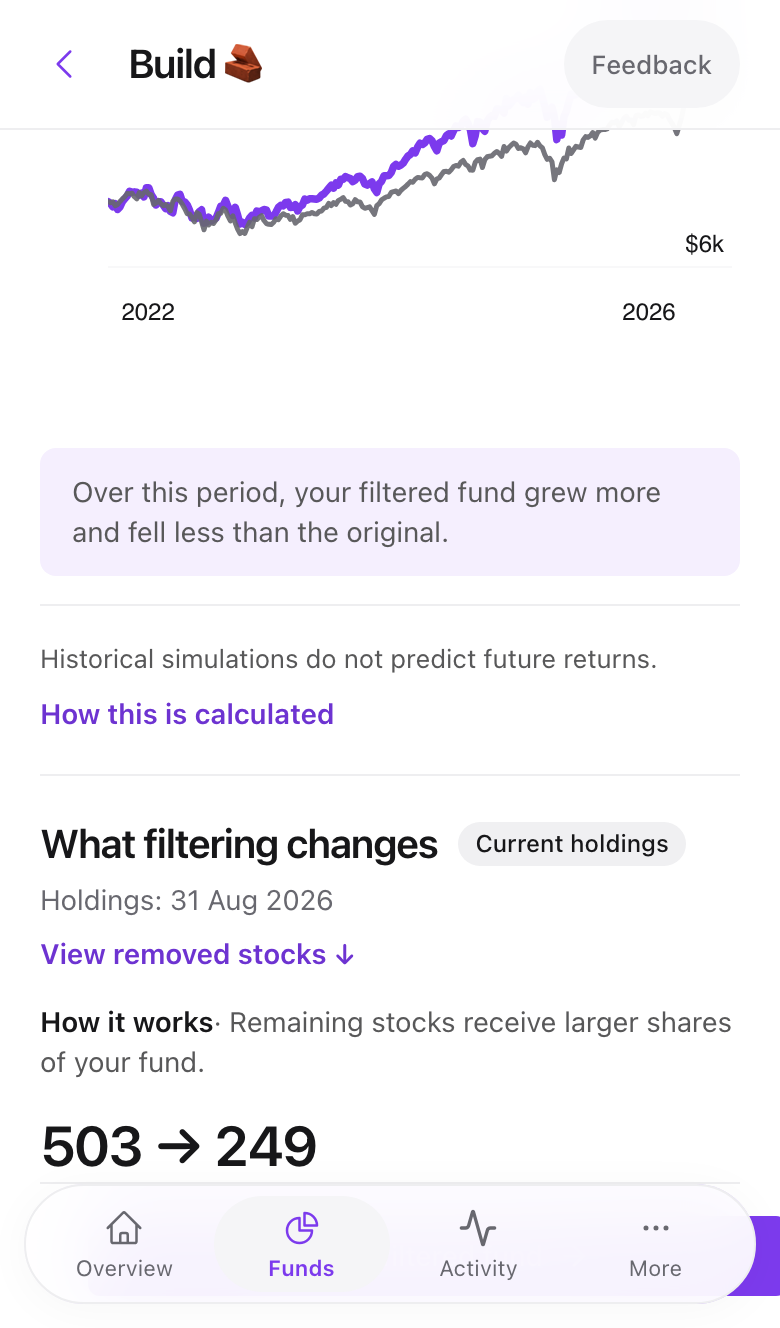
What filtering changes is the key panel. It shows the holding count before and after, the share of the original allocation removed, and how concentrated the top five stocks become. View removed stocks jumps to the full list with each one's reason.
Swipe to see all 2 screens
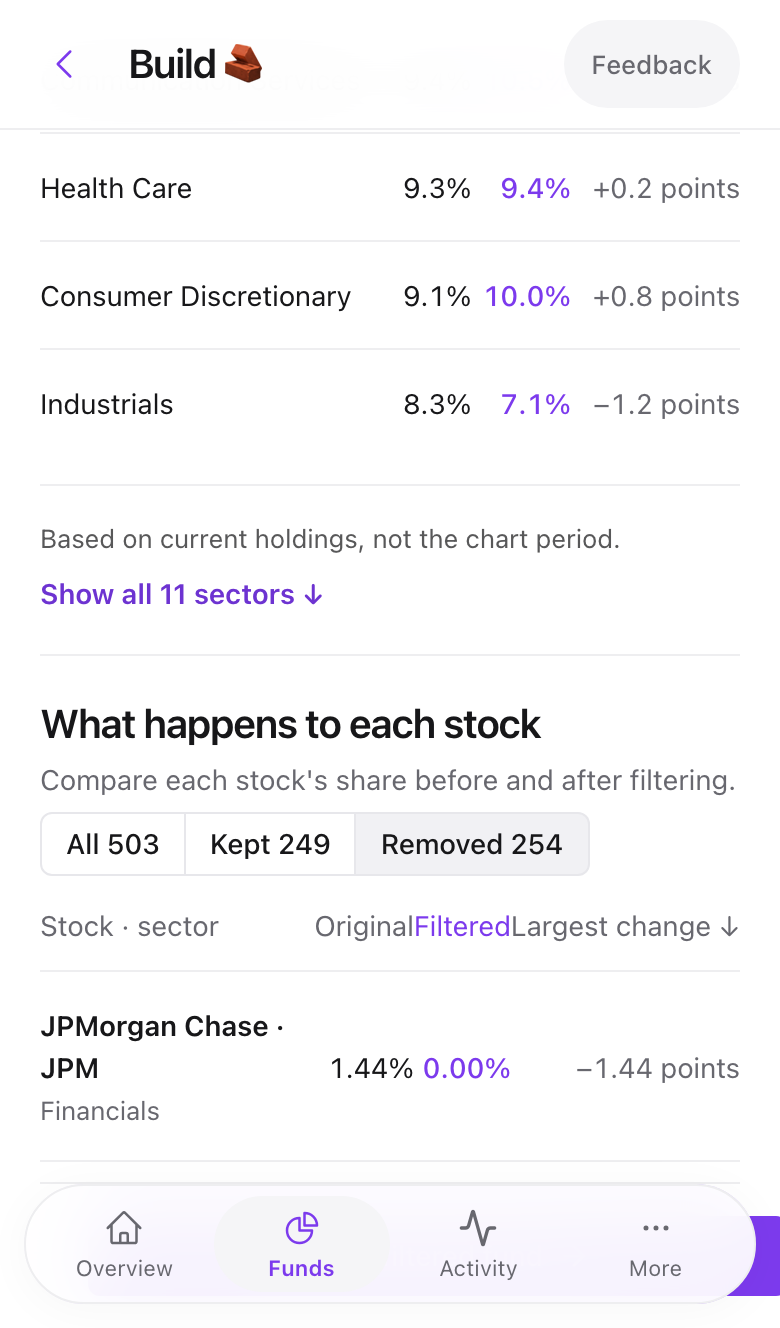
Then a performance chart comparing the filtered and original fund, the sector mix, the full screening details with every holding's compliance status, and fund facts such as assets under management and expense ratio.
Why do weights change?
When a holding is removed, its weight is spread across the remaining holdings in proportion. A fund that loses 30% of its allocation to banks ends up with every other stock roughly 1.4 times heavier.
Already-compliant and physical funds
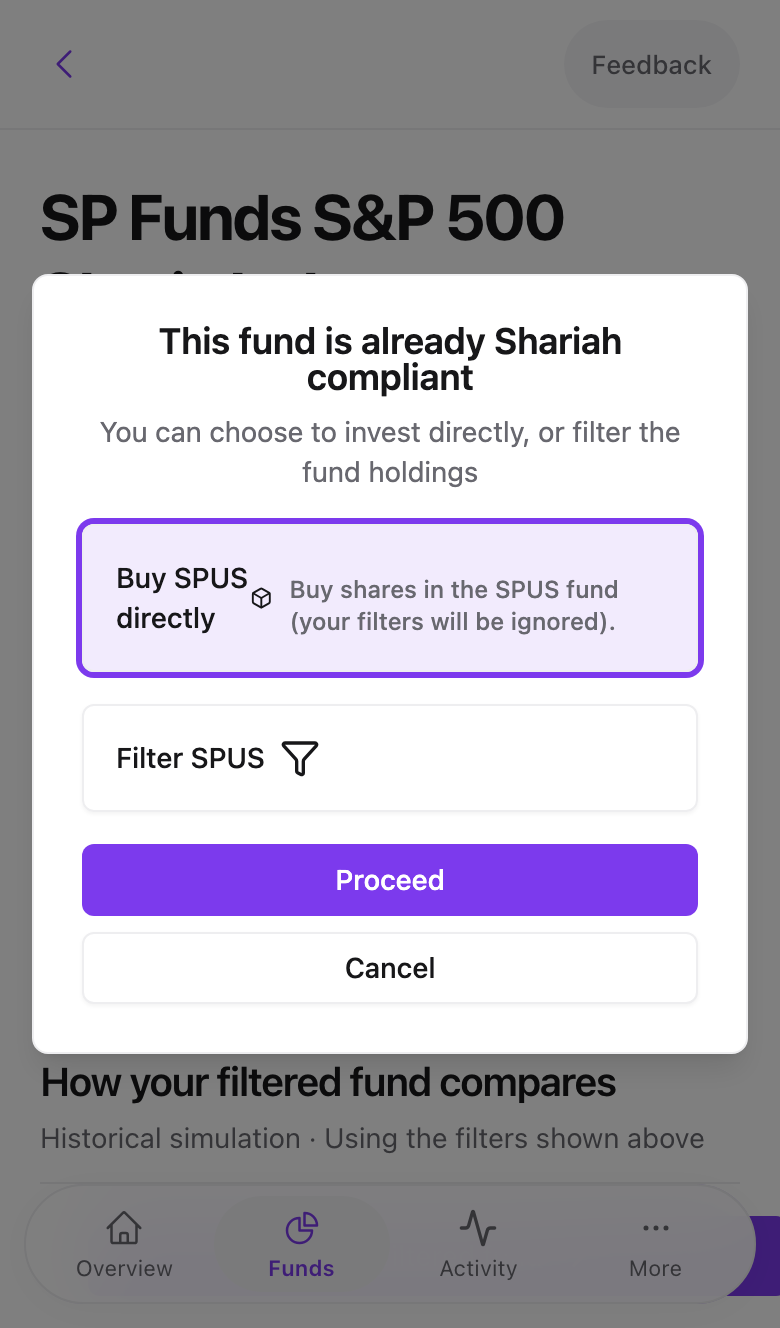
For funds that already pass screening, or that hold physical assets like gold, a dialog offers Buy directly or Filter. Direct purchase holds the fund as is. Physical funds can only be bought directly.
The filter settings step
Press Create filtered fund and one more form appears.
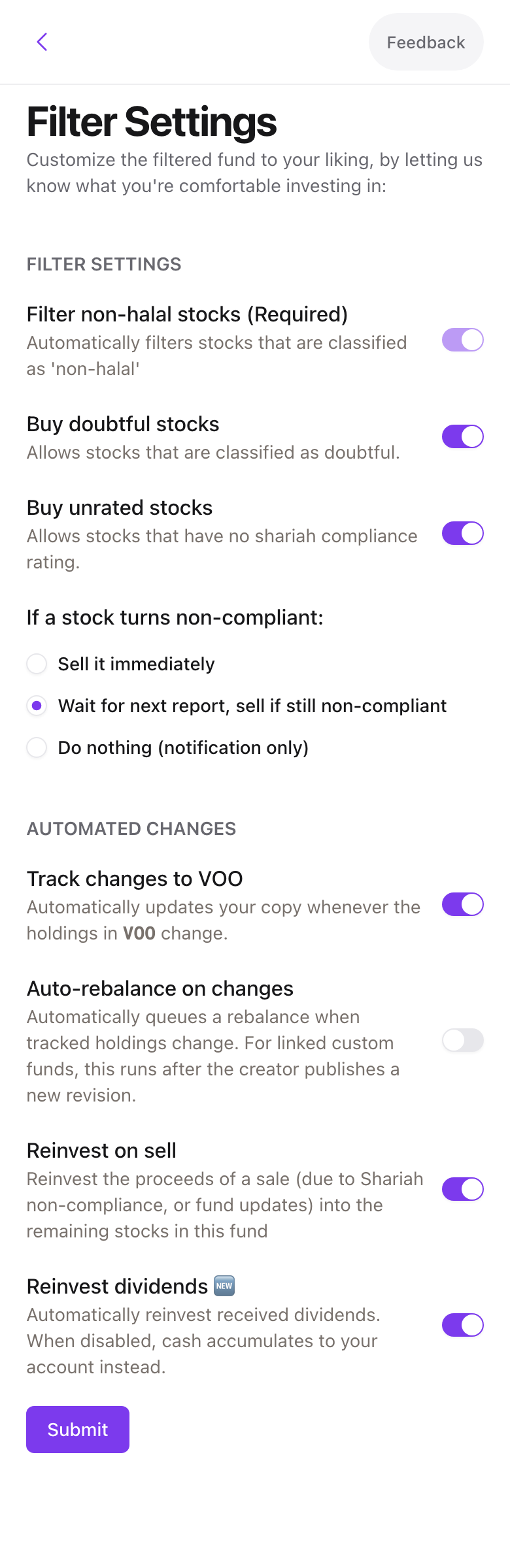
- Buy doubtful stocks. Include companies with mixed revenue.
- Buy unrated stocks. Expert mode only. Include companies with no rating yet.
- If a stock turns non-compliant. Sell immediately, wait for the next report and sell if still non-compliant, or do nothing and notify. See When a holding stops being halal.
- Expert mode adds Track changes to the source fund, Auto-rebalance, Reinvest on sell, and Reinvest dividends.
Press Submit. The fund now exists and its page opens. Nothing has been bought yet.
Common problems
The preview shows zero holdings. Your filters removed everything, usually because unrated stocks are excluded on a small fund. Turn on Include unrated stocks and update.
The performance chart is empty. Some mutual funds have no daily holdings history. The chart appears once the fund has been tracked for a while.
- Previous
- Pick your first fund