Create a custom fund
Key Takeaways
- Four steps: Name, Holdings, Weights, Review
- Start from scratch, from an existing fund, from a template, or by pasting tickers
- Weights are exact. Amal does not rescale them after you save
- Investing in a custom fund needs the Pro plan; building one does not
Step 1: Name
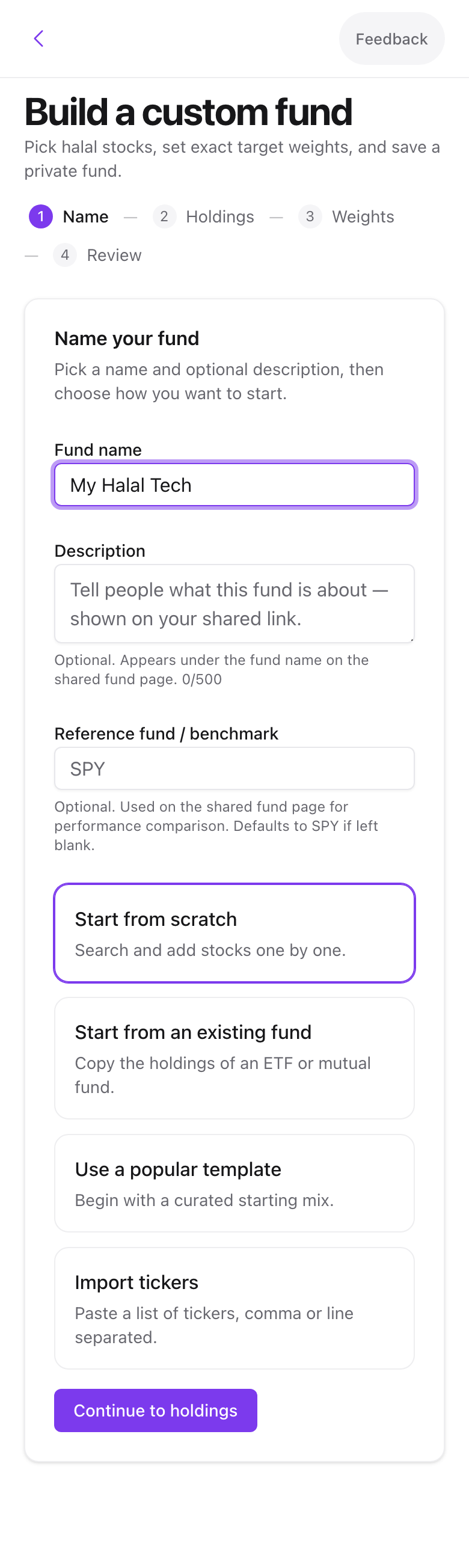
From the create screen pick Build a custom fund. Give it a name, an optional description, and an optional benchmark ticker such as SPY for the performance comparison. Then choose a starting point:
- Start from scratch with an empty list.
- Start from an existing fund to copy the holdings of one of your funds.
- Use a popular template for a ready-made list.
- Import tickers by pasting symbols separated by commas or new lines.
Step 2: Holdings
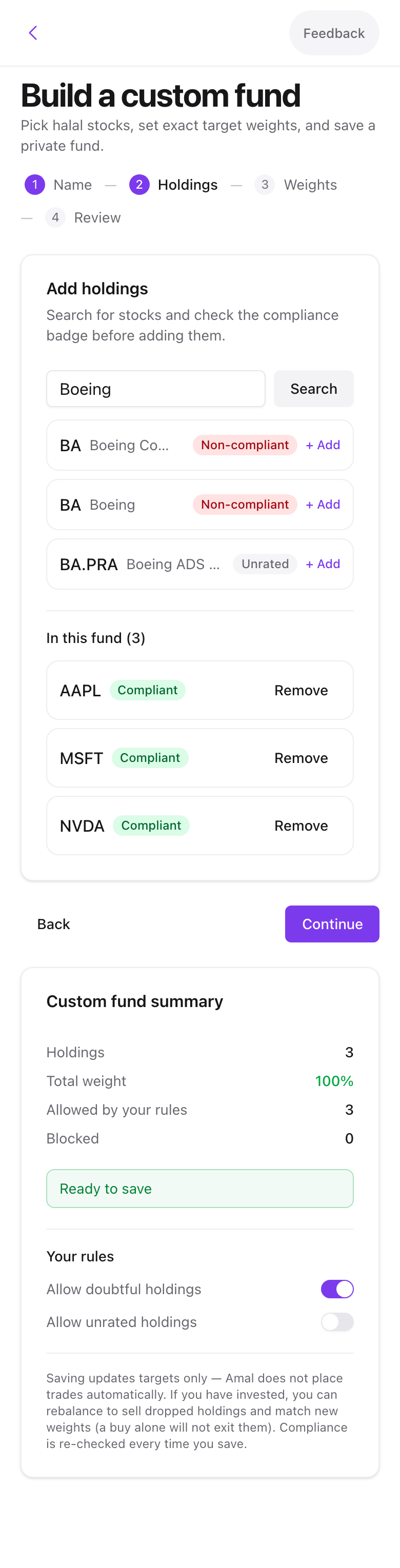
Search by ticker or company name and add each stock. Every result carries a compliance badge, and blocked stocks from your blacklist are marked.
Step 3: Weights
Set a percentage per holding. The bar at the top shows the total. Three shortcuts help:
- Equal weights gives every holding the same share.
- Scale to 100% keeps your ratios but makes them add up.
- Remove blocked drops anything on your blacklist.
Step 4: Review
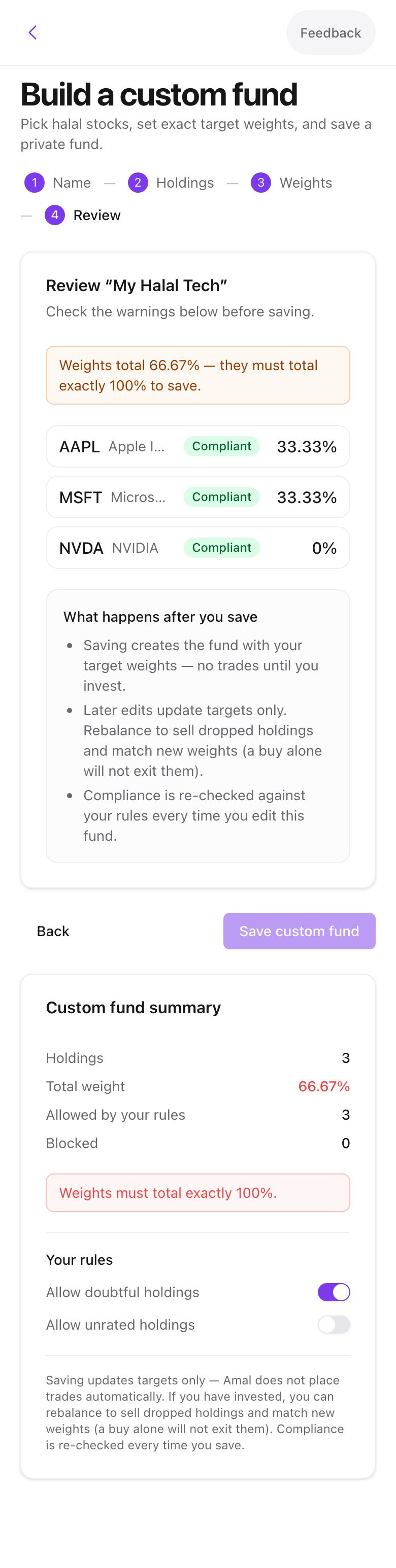
Warnings appear here for doubtful or unrated holdings and for weights that do not sum to 100. Press Save custom fund. As with filtered funds, saving places no trades.
Editing later
Edit holdings in the fund's action menu reopens the builder. Compliance is re-checked on every save.
Sharing a custom fund
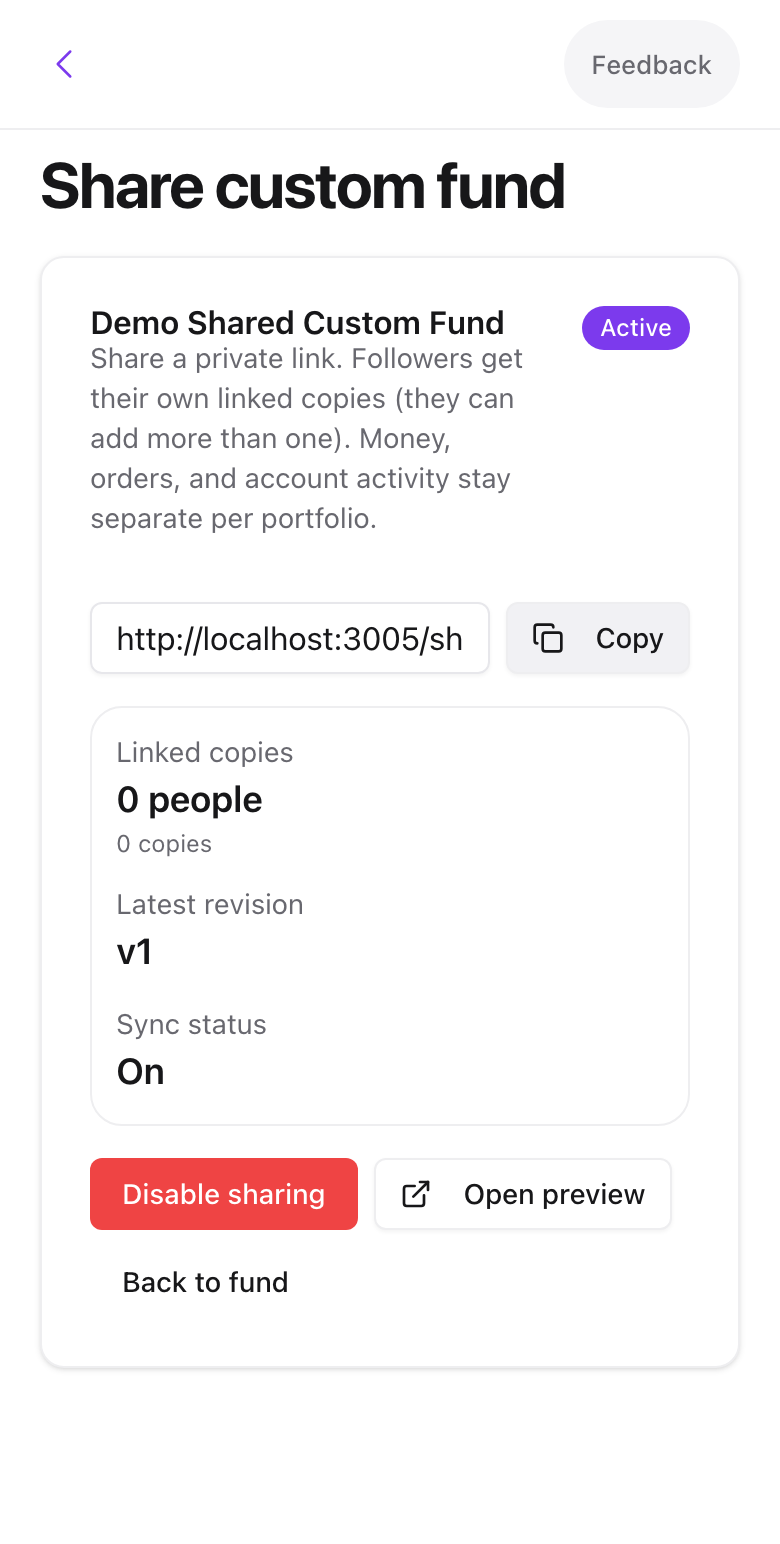
Open the fund's action menu and choose Share fund, then Enable sharing. You get a public link. Anyone who opens it sees the holdings, sector mix, and performance comparison, and can copy the fund into their own account. Copies can stay linked so your later edits sync to them, or be forked into an independent fund.

Swipe to see all 2 screens
Disable sharing stops the link working. Existing copies keep their last synced holdings.
Common problems
A stock will not add. It is not tradable on Alpaca, or it is on your blacklist. The badge tells you which.
Weights keep showing a warning after I scale. Rounding can leave the total at 99.9 or 100.1. Adjust one holding by 0.1.
- Previous
- Invest, withdraw, rebalance